Buy Kotak Mahindra Bank Online - Overview, How to apply & Recharge
Kotak Mahindra FASTag
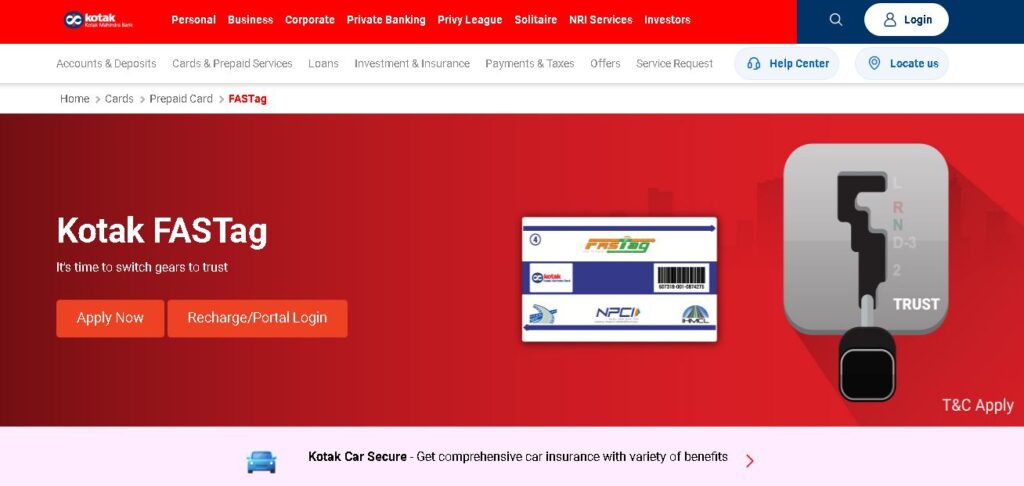
Kotak Mahindra Bank FASTag is an easy way to pay tolls on highways without using cash. It is a small sticker with a chip that you place on your vehicle’s front glass. When you drive through a toll plaza, the toll money is automatically taken from your linked Kotak bank account or wallet. You don’t have to stop your car, which saves time and fuel. You can recharge your FASTag online through the Kotak app, UPI, or net banking. It works at many toll plazas across India and stays valid for five years, making your travel fast and simple.
Key Takeaways
- Complete overview of Kotak Mahindra FASTag
- Step-by-step application process and required documentation
- FASTag recharge methods and available payment options
- Details on FASTag charges, deposits, validity, fees, and recharge limits
- Monthly and annual FASTag pass options
- How to check your FASTag balance
- Process for deactivation and requesting a refund
- How to contact Kotak Mahindra FASTag customer support
- FAQs
Overview
Kotak Mahindra Bank FASTag is an easy and safe way to pay tolls while driving on highways. It uses a small chip sticker that you place on your vehicle’s front glass. When your car passes through a toll plaza, the money for the toll is taken automatically from your linked Kotak bank account or wallet. You don’t have to stop or pay by hand, which saves time and fuel. FASTag started in India in 2014 under the NETC program by NPCI to help reduce traffic and promote digital payments. Kotak Mahindra Bank joined this system to make travel smoother for its customers. The tag stays valid for five years and can be recharged online through UPI, net banking, or the Kotak app. It works at many toll plazas across India and makes road trips faster, easier, and stress-free for every vehicle owner.
How to apply/register Kotak Mahindra FASTag Online?
You can buy an Kotak Mahindra FASTag in the following ways:
Online: Go to the Kotak FASTag page, fill in your details, upload documents, pay online, and get the FASTag delivered to your home.
Bank Branch: Visit the nearest Kotak Mahindra Bank branch with your RC, photo, and ID proof (PAN or Aadhaar). The staff will help you get the FASTag.
Toll Plaza: Buy it from an authorized toll plaza counter. Carry your RC and KYC documents. The agent will issue it after verification.
Mobile App: Open the Kotak Mobile App, go to the FASTag section, fill in your details, and apply. The tag will be sent to your address.
What are the charges & fees for Kotak Mahindra FASTag?
Getting a Kotak Mahindra Bank FASTag depends on your vehicle type. The total cost includes a one-time tag fee, a refundable security deposit, and a minimum balance to start using your FASTag.
Sr. No. | Vehicle Class No. |
Particulars |
Tag Cost | Security Amount (Refundable) |
Minimum Balance |
Total |
|---|---|---|---|---|---|---|
1 |
4 | Car / Jeep / Van/ Tata Ace and similar mini light commercial vehicle |
100 |
200 |
100 |
400 |
2 | 5 | Light Commercial Vehicle | 100 | 300 | 200 | 600 |
3 | 6 | Three Axle Commercial Vehicles | 100 | 500 | 300 | 900 |
How to do Kotak Mahindra FASTag Recharge?
Here’s how you can recharge your Kotak mahindra FASTag:
Kotak Mobile Banking App
- Open the Kotak Mobile Banking App and log in.
- Go to Payments → FASTag Recharge.
- Enter your vehicle number and recharge amount.
- Choose your linked account and complete the payment.
- You’ll receive instant confirmation via SMS.
Kotak FASTag Portal
- Visit the Kotak FASTag Portal and log in.
- Select Recharge / Add Money.
- Enter your vehicle number and amount.
- Pay using Debit Card, Credit Card, Net Banking, or UPI.
- Get instant recharge confirmation.
UPI Recharge
- Open any UPI app (Google Pay, PhonePe, Paytm, etc.).
- Select Pay to UPI ID.
- Enter your Kotak FASTag UPI ID:
👉 NETC.<VehicleNumber>@kotak
(Example: NETC.MH12AB1234@kotak) - Enter the recharge amount and confirm with your UPI PIN.
- You’ll get a confirmation message instantly.
BBPS (Bharat Bill Payment System)
- Open a BBPS-enabled app (Paytm, Freecharge, Bajaj Finserv, etc.).
- Go to Recharge & Pay Bills → FASTag.
- Select Kotak Mahindra Bank as the issuer.
- Enter your vehicle number and recharge amount.
- Complete the payment and receive confirmation instantly.
Third-Party Apps (Freecharge, Park+, Paytm, Mobikwik)
- Open the preferred app and select FASTag Recharge.
- Choose Kotak Mahindra Bank as the provider.
- Enter your vehicle details and recharge amount.
- Pay using UPI, debit/credit card, or net banking.
- Receive instant confirmation on the app and via SMS.
At Toll Plazas (Offline)
- Visit any toll plaza POS counter.
- Provide your vehicle or FASTag number.
- Pay by cash, card, or other accepted modes.
- Get a receipt or SMS confirmation once the recharge is done.
How to do Kotak Mahindra FASTag Balance Check?
Missed Call: Give a missed call to 1800 315 7778 from your registered mobile number. You’ll receive an SMS with your wallet balance.
SMS Alerts: After every toll deduction, you’ll get an SMS showing the amount deducted and the remaining balance.
Kotak FASTag Portal / Customer Portal: Log in to your Kotak FASTag account (via portal) to view your balance, transaction history, and other details.
Email Notifications: Kotak may also send periodic emails updating you about your transactions and balance status.
How to contact Kotak Mahindra FASTag Customer Care Support?
Call: 1800 3006 9090 (toll-free) or 1860 2666 888 (local charges apply).
Email: Contact customer support for any issue or query.
Online: Visit the Kotak FASTag portal and raise a complaint under the “Help” section.
Toll Plaza Issues: Call 1033 anytime for toll-related problems.
Lost or Damaged Tag: Call 1800 419 6606 to block your FASTag immediately.
How to submit a grievance/complaint about Kotak Mahindra FASTag?
Online: Log in to the Kotak FASTag portal and go to the “Complaints” section to submit your issue.
Email: Write your problem and send it to customer support.
Call: Contact customer care for help or to report your issue.
Branch / Toll Plaza: Visit any Kotak Bank branch or toll plaza counter and tell the staff about your problem.
For unresolved issues: You can also call the helpline for further help.
How to deactivate/close Kotak Mahindra FASTag?
Call Customer Care: Ask to close your FASTag account.
Email Request: Send a closure request from your registered email ID.
Online Portal: Log in and select the “Close Tag” or “Service Request” option.
Visit Branch: Go to a Kotak Bank branch and ask to deactivate your FASTag.
After closure, your security deposit will be refunded to your account (if KYC is complete).
FAQs
Yes, the security deposit amount will be refunded to your linked account if your KYC is completed.
Online recharge is instant; NEFT/IMPS may take a few hours.
Can I recharge with cash?
Yes, at partner toll plazas, but online is faster.
What happens if my FASTag has no balance?
You may need to pay a double toll in cash.
What if I sell my vehicle?
Close the FASTag linked to that vehicle and apply for a new one for your new vehicle.
Kotak Mahindra Bank FASTag
Kotak FASTag is an RFID-enabled tag that sticks to the windshield of your vehicle and allows for automated toll collection payments through a linked prepaid account. It removes the need for you to handle cash transactions, and instead allows for vehicles to pass through toll plazas freely and to keep moving without stopping.
The Kotak FASTag is valid for five years and easily recharged through the Kotak mobile app, web portal, or with online banking. You receive real-time SMS alerts for every transaction with your FASTag account and are able to conveniently maintain your account on your own. The FASTag is accepted at 770+ toll plazas across India, and can also be used for the automatic payment of parking in certain instances.
MORE INFORMATION COMING SOON…
We’re working on it. Please check back later.