
Buy ICICI Bank FASTag Online - Overview, How to apply & Recharge
ICICI Bank FASTag
FASTag is a small sticker that is fixed on the front glass of a vehicle. It helps drivers pay toll tax without stopping at toll plazas. When the vehicle passes through a FASTag lane, the toll amount is cut automatically from the linked bank account or wallet. This makes travel faster and avoids long queues and cash payments. FASTag is used on national highways across India and helps make road travel smooth and simple for everyone.
Key Takeaways
- Complete overview of ICICI Bank FASTag
- Step-by-step application process and required documentation
- FASTag recharge methods and available payment options
- Details on FASTag charges, deposits, validity, fees, and recharge limits
- Monthly and annual FASTag pass options
- How to check your FASTag balance
- Process for deactivation and requesting a refund
- How to contact ICICI Bank FASTag customer support
- FAQs
Overview
ICICI Bank is one of India’s leading private sector banks, established in 1994 as part of the ICICI Group, which earlier focused on development finance. Over time, the bank expanded into full retail and corporate banking and built a strong presence across India. Headquartered in Mumbai, FASTag is an electronic toll payment system introduced in India to improve the travel experience on highways. The idea of FASTag came from the need to reduce long queues, cash handling, and fuel wastage at toll plazas. It was launched under the National Electronic Toll Collection (NETC) program and uses RFID technology to deduct toll charges automatically. In the early years, FASTag adoption was slow, but awareness increased gradually. Later, the government made FASTag mandatory for most vehicles, which led to rapid nationwide use. Banks supported this system by issuing and managing FASTags, including ICICI Bank. Over time, features like online recharge, SMS alerts, and app support were added. Today, FASTag has become an important and trusted part of road travel in India.
How to apply/register ICICI Bank FASTag Online?
Online:
- Visit the official ICICI Bank FASTag page.
- Fill in your personal and vehicle details.
- Upload RC and ID proof.
- Pay the required charges.
- FASTag will be issued after verification.
Toll Plaza: FASTag can be purchased instantly at ICICI Bank counters available at selected toll plazas by submitting vehicle documents and completing KYC.
Bank Branch: Visit the nearest ICICI Bank branch with your vehicle RC, PAN, and ID proof. The bank staff will help you apply.
Mobile App: Use the iMobile app, select FASTag under payments, fill in details, complete KYC, and apply directly from your phone.
What are the charges & fees for ICICI Bank FASTag?
You pay a one-time tag fee of ₹100. The security deposit depends on your vehicle type, with lower deposits for small vehicles and higher deposits for commercial vehicles. The security deposit is refundable when you close your FASTag.
Sr. No. | Vehicle Class No. |
Particulars |
Tag Cost | Security Amount (Refundable) |
Minimum Balance |
Total |
|---|---|---|---|---|---|---|
1 |
4 | Car / Jeep / Van/ Tata Ace and similar mini light commercial vehicle |
100 |
200 |
100 |
400 |
2 | 5 | Light Commercial Vehicle | 100 | 300 | 100 | 500 |
3 | 6 | Three Axle Commercial Vehicles | 100 | 400 | 100 | 600 |
How to do ICICI Bank FASTag Recharge?
Mobile App / Website
- Open the ICICI Bank iMobile app or visit the ICICI Bank website.
- Go to the FASTag section.
- Enter your vehicle number or FASTag ID.
- Verify using OTP.
- Choose the recharge amount and make the payment.
Net Banking
- Log in to ICICI Bank Net Banking.
- Go to Bill Payments / FASTag.
- Select your FASTag account.
- Enter the recharge amount.
- Confirm and complete the payment.
UPI Apps (GPay, PhonePe, Paytm)
- Open any UPI app.
- Search for FASTag recharge.
- Select ICICI Bank as the issuing bank.
- Enter vehicle number or FASTag ID.
- Pay using UPI
Branch
- Visit the nearest ICICI Bank branch.
- Share your vehicle number or FASTag details.
- Request FASTag recharge.
- Pay at the counter and the staff will update the recharge.
How to do ICICI Bank FASTag Balance Check?
Mobile App / Portal: Open the iMobile app or visit the ICICI Bank website and check your FASTag balance.
SMS Alerts: You receive balance details by SMS after every toll payment or recharge.
Missed Call: Give a missed call from your registered mobile number on 8010928888 to get balance details by SMS.
Customer Care: Call ICICI Bank FASTag customer care at 1860 267 0104 for balance information.
Branch: Visit the nearest ICICI Bank branch and the staff will help you check your FASTag balance.
How to contact ICICI Bank FASTag Customer Care Support?
Customer Care: Call 1860 267 0104 from your registered mobile number for FASTag help.
Email: Write to [email protected] with your vehicle or FASTag details.
Branch: Visit the nearest ICICI Bank branch and ask for FASTag support.
Portal: Log in to the ICICI Bank website or iMobile app and raise a FASTag request or complaint.
How to submit a grievance/complaint about ICICI Bank FASTag?
Portal: Log in to the ICICI Bank website or iMobile app, go to the FASTag section, and raise a complaint online.
Customer Care: Call ICICI Bank FASTag customer care at 1860 267 0104 and register your complaint.
Toll Helpline: Call the national toll-free helpline 1033 for toll plaza related FASTag issues.
Branch: Visit the nearest ICICI Bank branch and submit your complaint with FASTag details.
How to deactivate/close ICICI Bank FASTag?
Online: You can log in to the ICICI Bank website or use the iMobile app, open the FASTag section, and place a request to close your FASTag.
Customer Care: Call ICICI Bank FASTag customer care at 1860 267 0104 and ask them to deactivate your FASTag.
Bank Branch: Visit your nearest ICICI Bank branch with FASTag and vehicle details, and the staff will help you with the closure process.
Refund: Once the request is approved, the remaining balance and refundable security deposit are returned to your linked account as per bank rules.
FAQs
What happens if my FASTag is not used for a long time?
It may get inactive and can be reactivated by updating KYC or recharging.
What if my vehicle number is entered wrong while applying?
You can update or correct it by contacting customer care or visiting a branch.
What happens if I enter a FASTag lane without balance?
The toll transaction may fail and you may be asked to pay cash or penalty.
Can I block my FASTag temporarily?
Yes, FASTag can be blocked in case of loss or misuse by contacting customer care.
ICICI Bank FASTag
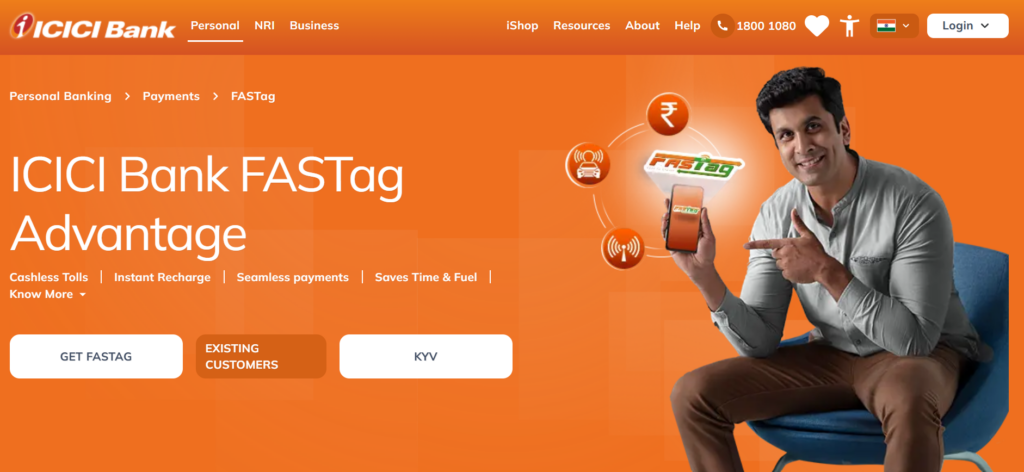
Powered by RFID technology, ICICI Bank’s FASTag is a complete solution for toll payments allowing automatic deductions at toll plazas across India. The tag can be used for personal or commercial purposes. It offers a cashless, seamless experience to reduce fuel usage and travel time.
The FASTag has smart features like auto-recharge, SMS alerts and a missed-call balance check service. It can be availed via the iMobile app and other digital channels of ICICI. Apart from the iMobile app, the customers can manage their FASTags via the self-care portal, apply for monthly passes and review real-time toll activity. The FASTag can now be used across toll, fuel and parking, providing one solution for all your payment needs on the road.
MORE INFORMATION COMING SOON…
We’re working on it. Please check back later.