
Buy Canara Bank FASTag Online - Overview, How to apply & Recharge
Canara Bank Fastag
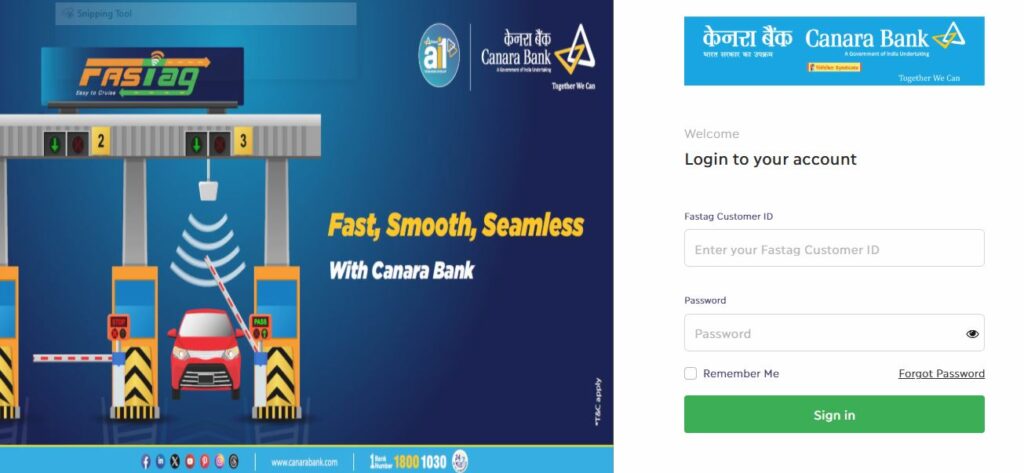
Canara Bank FASTag is a prepaid tag that lets you pay tolls tax automatically without stopping. It saves time, fuel, and works across highways in India, with easy recharge options and instant SMS alerts for every payment. The tag is valid for 5 years and comes with a refundable security deposit. Dedicated helplines and Canara Bank branch support make it simple and reliable for all vehicle owners.
Key Takeaways
- Complete overview of Canara Bank FASTag
- Step-by-step application process and required documentation
- FASTag recharge methods and available payment options
- Details on FASTag charges, deposits, validity, fees, and recharge limits
- Monthly and annual FASTag pass options
- How to check your FASTag balance
- Process for deactivation and requesting a refund
- How to contact Canara Bank FASTag customer support
- FAQs
Overview
FASTag allows for fast and easy payment of tolls on highways. You do not stop your car to hand over cash to the toll booth – the FASTag sticker on your vehicle takes advantage of RFID technology (a special system of scanners) to automatically deduct the toll amount from your account when you drive past.
With Canara Bank FASTag, you get:
- Cashless toll payments.
- Faster transit at toll plazas.
- SMS alerts for each transaction.
- Easy recharge through multiple channels.
- A nationwide network of toll plazas.
How to apply/register Canara Bank FASTag Online?
You can apply in the following ways:
- Online: Go to the Canara Bank website, fill out the form, and the FASTag will be delivered to your home.
- At Bank Branch: Visit the nearest Canara Bank branch. Carry your RC (vehicle registration), one photo, and ID proof like Aadhaar or PAN card.
- At Toll Plaza: Some toll booths also sell FASTag. Just take your RC and ID documents with you.
- Through MyFASTag App: Download the app on your mobile, log in, and apply directly.
What are the charges & fees for Canara Bank FASTag?
Sr. No . | Vehicle Class No. | Particulars | Tag Cost | Security Amount (Refundable) | Minimum Balance | Total |
1 | 4 | Car / Jeep / Van/ Tata Ace and similar mini light commercial vehicle | 100 | 200 | 100 (First Time Issuance Top up only) | 400 |
2 | 5 | Light Commercial Vehicle | 100 | 200 | 100 | 400 |
3 | 6 | Three Axle Commercial Vehicles | 100 | 200 | 100 | 400 |
What are the charges & fees for Canara Bank FASTag?
Sr. No . | Vehicle Class No. | Particulars | Tag Cost | Security Amount (Refundable) | Minimum Balance | Total |
1 | 4 | Car / Jeep / Van/ Tata Ace and similar mini light commercial vehicle | 100 | 200 | 100 (First Time Issuance Top up only) | 400 |
2 | 5 | Light Commercial Vehicle | 100 | 200 | 100 | 400 |
3 | 6 | Three Axle Commercial Vehicles | 100 | 200 | 100 | 400 |
How to do Canara Bank FASTag Recharge?
- UPI Apps (Google Pay, PhonePe, Paytm, BHIM, etc.)
- Open any UPI app and enter this ID.
- Enter the amount → Pay → Done (instant SMS confirmation).
- Canara Bank Portal / Mobile Banking
- Log in to Canara Bank FASTag portal.
- Go to Recharge FASTag.
- Enter your vehicle/FASTag number and pay using Net Banking or Debit Card.
- MyFASTag App
- Download MyFASTag App (Android/iOS).
- Select Canara Bank as issuer.
- Enter your vehicle details and recharge instantly using UPI, cards, or Net Banking.
- Toll Plaza POS (Offline)
- Visit any toll plaza POS counter.
- Share your vehicle number or FASTag ID.
- Pay in cash → FASTag recharged on the spot.
How to do Canara Bank FASTag Balance Check?
- Give a missed call to 080-25129259 (10 AM–6 PM) to receive balance by SMS.
- Online Portal: Login → Go to Balance Enquiry.
- Mobile Banking App: Check FASTag balance in Canara Bank Mobile App.
How to contact Canara Bank FASTag Customer Care Support?
- Toll-Free Number: 1800 1030 (24/7)
- SMS Help Desk: 080-25129259 (10 AM to 6 PM)
- Email: [email protected]
- Branch Support: Any Canara Bank branch with FASTag facility.
How to submit a grievance/complaint about Canara Bank FASTag?
- Visit Canara Bank Complaints Portal.
- Register your complaint with vehicle number, FASTag ID, and transaction details.
- Track status online or via customer care.
How to deactivate/close Canara Bank FASTag?
- Go to your nearest Canara Bank branch.
- Submit a written request with KYC, mobile number, and FASTag ID.
- The bank will deactivate your tag.
- Refund of remaining balance and security deposit.
FAQs
How to close FASTag?
Submit request at branch with KYC & FASTag ID
Where can I apply?
Online on [Canara Bank FASTag portal](https://canarabank.com/pages/fastag) or at any branch.
How long is FASTag valid?
5 years from issuance.
How to recharge?
Online via UPI, portal, app or offline at toll plaza.
Related videos
Canara Bank FASTag
Canara Bank offers FASTag which is part of the NETC program, which is a contactless efficient electronic payment system for toll payments. FASTag is a 10×5 cm multi-layered tag, which incorporates a chip and an RFID antenna, designed to be mounted on the windscreen of the vehicle, to allow for automatic toll deductions while travelling through NETC enabled plazas.
The FASTag issued by Canara Bank is unique to a vehicle-type with the classification and color coding determined by the NPCI; which includes personal vehicles such as cars and vans as well as commercial vehicles like buses, trucks, and earth-moving equipment. This is to enable the correct toll-fee deductions for the type of vehicle travelling through the NICC enabled toll plaza.
Customers can apply for FASTag by visiting one of Canara Bank’s authorized branches and manage their FASTag using the self-service kiosks. The self-service kiosks allow customers to recharge their accounts, check their transaction history and check their balance. The system supports real-time SMS alerts, follows national standards in respect of security, and provides a seamless customer experience.
MORE INFORMATION COMING SOON…
We’re working on it. Please check back later.