
Buy PNB FASTag Online - Overview, How to apply & Recharge
PNB FASTag
Punjab National Bank (PNB), established in 1894, is one of India’s oldest and leading public sector banks. PNB FASTag is a cashless toll payment solution that uses RFID technology and is linked to your PNB account or prepaid wallet.
Key Takeaways
- Complete overview of PNB FASTag
- Step-by-step application process and required documentation
- FASTag recharge methods and available payment options
- Details on FASTag charges, deposits, validity, fees, and recharge limits
- Monthly and annual FASTag pass options
- How to check your FASTag balance
- Process for deactivation and requesting a refund
- How to contact PNB FASTag customer support
- FAQs
Overview
Punjab National Bank (PNB), one of India’s trusted public banks, offers FASTag using RFID (Radio Frequency Identification) technology for quick toll payments. You just stick it on your car’s glass, and toll money gets cut automatically. You can apply online or at a PNB branch, recharge with UPI apps, and check balance by SMS, app, or missed call.
How to apply/register PNB FASTag Online?
You can buy an PNB FASTag in the following ways:
- Apply Online: Visit the PNB website( https://www.pnbindia.in/PNB-NETC.html), fill in your vehicle and personal details, upload your RC and ID, pay the fees, and your FASTag will be delivered to your home.
- Apply at a PNB Branch: Go to your nearest PNB branch, submit your RC, ID, and a photo, pay the charges, and get your FASTag instantly.
- Buy at a Toll Plaza: If you are travelling, some toll plazas sell FASTag too. Just carry your RC and ID documents when you go.
- Through the Mobile App: Download and open the PNB FASTag app, log in, and apply easily from your phone.
What are the charges & fees for PNB FASTag?
PNB FASTag comes with a simple cost structure covering a one-time tag fee, a refundable security deposit, and a minimum balance requirement depending on your vehicle type.
Sr. No. | Vehicle Class No. |
Particulars |
Tag Cost | Security Amount (Refundable) |
Minimum Balance |
Total |
|---|---|---|---|---|---|---|
1 |
4 | Car / Jeep / Van/ Tata Ace and similar mini light commercial vehicle | 100 | 200 | 100 (First Time Issuance Top up only) |
400 |
2 | 5 | Light Commercial Vehicle | 100 | 200 | 140 | 540 |
3 | 6 | Three Axle Commercial Vehicles | 100 | 200 | 400 | 800 |
How to do PNB FASTag Recharge?
You can recharge your PNB FASTag in several easy ways:
Online via PNB FASTag Portal
- Visit the official portal: (https://www.pnbindia.in/PNB-NETC.html)
- Log in with your registered mobile number.
- Select your vehicle, enter the recharge amount, and pay using Debit/Credit Card, Net Banking, NEFT, or RTGS.
- The amount is added instantly.
PNB Internet Banking
- Log in to your PNB Internet Banking account.
- Go to the Recharge option.
- Enter your details and recharge amount, then confirm the payment.
PNB Mobile App (PNB ONE)
- Open the PNB ONE app on your phone.
- Go to Recharge → FASTag, select your vehicle, enter the amount, and complete the payment.
UPI Apps (GPay, PhonePe, Paytm, etc.)
- Open your favorite UPI app and select FASTag Recharge.
- Enter your FASTag ID and the amount, then pay.
At Toll Plazas
- While travelling, you can also recharge at participating toll plazas.
- Provide your RC and pay the charges.
How to do PNB FASTag Balance Check?
SMS Alerts – You will receive an SMS after every toll deduction and recharge.
PNB FASTag Portal – Log in with your account to view balance (https://pnb.bank.in/PNB-NETC.html).
PNB FASTag Mobile App – Download the app to check balance in real time.
Missed Call Service – Give a missed call to the number(86550 24085) linked with your FASTag to get balance details.
How to contact PNB FASTag Customer Care Support?
Toll-Free Number: 1800-419-6610
Email Support: [email protected]
PNB Branches: Visit your nearest PNB branch for offline contact.
How to submit a grievance/complaint about PNB FASTag?
- You can call the PNB customer care helpline(1800 419 6610).
- You can also file a complaint on the PNB FASTag portal ([email protected]).
- You can visit the nearest PNB branch with your FASTag details.
If your complaint is registered, you will get a reference number. You can check online or by contacting customer care about your complaint.
How to deactivate/close PNB FASTag?
- Submit a closure request through the PNB FASTag portal or call customer care.
- Provide your registered mobile number and FASTag ID.
- The remaining balance (after deducting charges, if any) will be refunded to your bank account.
- You can go to your nearest PNB branch.
This is useful if you sell your vehicle or no longer wish to use the tag.
FAQs
What if I lose or damage my FASTag?
You can request a replacement by paying 100.
What if my FASTag is lost or broken?
Call PNB customer care. They will give you a new one after documents and small charges
How can I recharge my FASTag?
You can open the UPI apps like GPay, PhonePe, Paytm, Amazon Pay and others.
What to do if someone misuses my FASTag?
Call customer care quickly and ask them to block it.
Punjab National Bank FASTag
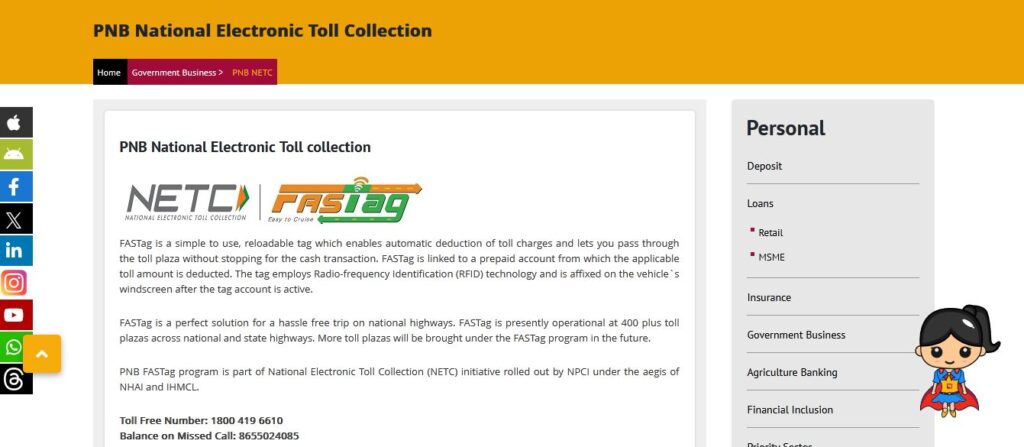
PNB FASTag is an easy-to-use, reloadable tag that allows for automatic toll payments, without stopping a vehicle. The tag is assigned to a prepaid account, is RFID enabled, and is a window sticker that goes on the windscreen after activation, so that vehicles can pass through the toll plaza quickly without stopping.
PNB FASTag is a convenient option for toll payment as it is accepted at 400+ toll plazas in India on national and state highways, with more being added continuously under the FASTag program. PNB FASTag is a part of the National Electronic Toll Collection (NETC) initiative overseen by NPCI, with administration from NHAI and IHMCL.
MORE INFORMATION COMING SOON…
We’re working on it. Please check back later.