
Buy South Indian Bank FASTag Online - Overview, How to apply & Recharge
South Indian FASTag
South Indian Bank, started in 1929 in Kerala, grew into a trusted bank across India. It became a scheduled bank in 1946 and introduced many firsts in Kerala banking. Today, it also offers FASTag for easy, cashless toll payments.
Key Takeaways
- Complete overview of South Indian Bank FASTag
- Step-by-step application process and required documentation
- FASTag recharge methods and available payment options
- Details on FASTag charges, deposits, validity, fees, and recharge limits
- Monthly and annual FASTag pass options
- How to check your FASTag balance
- Process for deactivation and requesting a refund
- How to contact South Indian Bank FASTag customer support
- FAQs
Overview
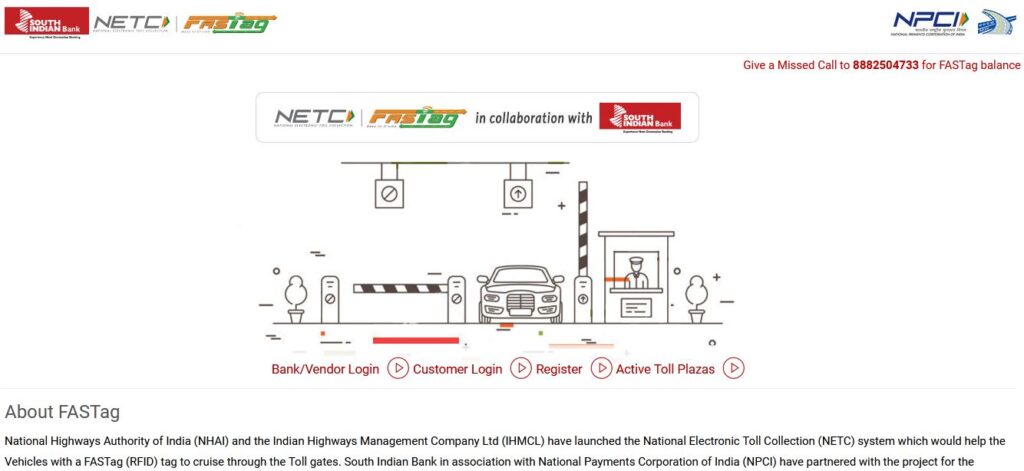
South Indian Bank FASTag is a small RFID tag that you stick on your car’s windshield. South Indian Bank in association with National Payments Corporation of India (NPCI) have partnered with the project for the issuance of FASTag for Vehicles. It lets you pay tolls automatically without paying cash, saving time and avoiding long queues. It is linked to your prepaid account and is valid for 5 years. You can apply and recharge it online through the SIB website. There are small fees to get the tag, and the security deposit is refundable.
How to apply/register South Indian Bank FASTag Online?
Online: Go to https://fastag.southindianbank.com/NETCPortal/getCustOnboard, fill in your details, upload your RC and KYC documents, pay the tag fee and security deposit, and your tag will be delivered to your home address.
Branch/POS: Visit your nearest bank branch or a toll plaza POS, submit the necessary documents given above, and get your tag linked to your account.
Mobile App: You can also apply quickly and easily using the SIB mobile app.
What are the charges & fees for South Indian Bank FASTag?
South Indian Bank FASTag comes with an issuance fee of ₹100 (including GST). In addition, users need to maintain a refundable security deposit and a minimum first-time load based on the vehicle class.
Sr. No. | Vehicle Class No. | Particulars | Tag Cost | Security Amount (Refundable) | Minimum Balance | Total |
|---|---|---|---|---|---|---|
1 | 4 | Car / Jeep / Van/ Tata Ace and similar mini light commercial vehicle | 100 | 200 | 100 (First Time Issuance Top up only) | 400 |
2 | 5 | Light Commercial Vehicle | 100 | 300 | 140 | 540 |
3 | 6 | Three Axle Commercial Vehicles | 100 | 400 | 300 | 800 |
How to do South Indian FASTag Recharge?
You can recharge your South Indian FASTag in several easy ways:
Online via SIB FASTag Portal
- Visit the official portal at fastag.southindianbank.com
- Log in with your User ID and password.
- Click on Recharge, enter the amount, and pay using Debit/Credit Card, Net Banking, or UPI.
- You’ll get an instant SMS confirmation once the recharge is successful.
Internet Banking / Mobile App
- Log in to SIB Internet Banking (SIBerNet) or the SIB Mirror+ App.
- Select FASTag Recharge, enter your ID or vehicle number, and add the recharge amount.
- Confirm the payment directly from your bank account. It is quick and easy.
Using UPI Apps (Google Pay, PhonePe, Paytm, BHIM, etc.)
- Open your preferred UPI app and choose FASTag Recharge.
- Enter your vehicle number or FASTag ID and pay.
- Your balance is updated almost instantly.
At Toll Plazas
- If you’re near a toll plaza with FASTag facilities, you can recharge there too.
- Give your ID or vehicle number, pay via cash, card, or UPI, and your balance updates immediately.
Auto Top-Up
- Set up automatic recharge from your linked account.
- Your tag will automatically reload when the balance drops below your set limit, so you never have to worry about running out of balance.
How to do South Indian Bank FASTag Balance Check?
Portal / App: Log in to SIBerNet (Internet Banking) or the SIB Mirror+ Mobile App to check your FASTag balance and transactions.
SMS Alerts: Receive an SMS after every toll payment showing the deduction and remaining balance.
Missed Call: Dial 09223008488 from your registered mobile number to get an instant balance via SMS.
Customer Care: Call 1800 425 1809 or email [email protected] for assistance.
How to contact South Indian Bank FASTag Customer Care Support?
Toll-Free Number: 1800 425 1809 (Available Monday to Friday, 9 AM – 6 PM)
Email: [email protected]
Website / Online Support: Visit the official portal: www.southindianbank.com. Use the FASTag section for queries, complaints, or online assistance.
Branch Visit: You can also visit any branch for in-person support related to FASTag.
How to submit a grievance/complaint about South Indian Bank FASTag?
Call: 1800 425 1809 (Mon–Fri, 9 AM – 6 PM)
Email: [email protected]
Online: Use the SIB FASTag portal
Branch: Visit your nearest bank branch.
Keep your FASTag ID and vehicle details ready for faster resolution.
How to deactivate/close South Indian Bank FASTag?
Call: 1800 425 1809
Email: [email protected]
Branch: Visit your nearest bank branch
Your security deposit will be refunded after closure. Make sure the balance is cleared.
FAQs
How do I recharge FASTag?
Recharge options are SIB FASTag portal, Mirror+ app, UPI apps, Internet Banking, or directly at toll plazas. You can also set auto top-up.
Documents needed?
PAN, mobile number, RC, photo, Aadhaar (optional), GSTN (optional).
How long does FASTag last?
It stays valid for 5 years.
How to check balance?
SMS, mobile app, portal, or missed call service.
South Indian Bank FASTag
Through the National Electronic Toll Collection (NETC) program by NPCI and NHAI/IHMCL (IAMAI), South Indian Bank provides RFID-based tags which are affixed to your vehicle’s windshield. This program is designed to provide seamless, cashless toll payments – continue driving through designated FASTag lanes and the toll amount will be automatically deducted from your linked prepaid or bank account. This means you don’t have to have cash with you or stop at a toll booth thereby reducing wait times and fuel consumption.
The tag is valid for 5 years and can be recharged through multiple digital modes – net banking, debit/credit cards, UPI with simple fund management through their online portal. Users can also receive instant SMS updates for every transaction, and low-balance SMS alerts.
MORE INFORMATION COMING SOON…
We’re working on it. Please check back later.